When accessing a Twitter feed, say to fetch a tweet, via its REST endpoint using Javascript XMLHttpRequest (an axios.get() for example) you would run into this CORS error on the browser:

This is of course because your script running on domain a (the desktop) is trying to fetch a resource that resides on domain b (twitter). Unless the responding server explicitly allows this the browser will fail to fulfill the request and return the error above. This is an implicit security setting implemented in the browser to allow only resources from the same-origin to be accessed.
The browser is actually performing 2 requests under the hood. When it detects that certain headers related to Authorization (like Bearer Token) have been set in the request it does a Preflight request querying the remote server to see if the real request would be allowed. It does this by performing an OPTIONS request and checking if the Access-Control-Allow-Origin header is received in the response. If this is absent you end up with the error above.
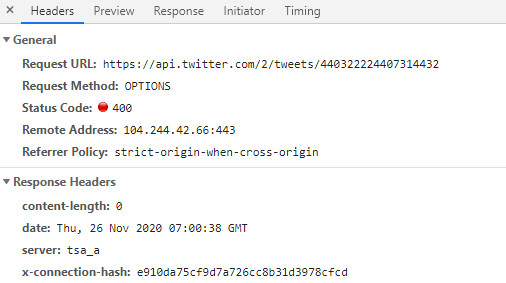
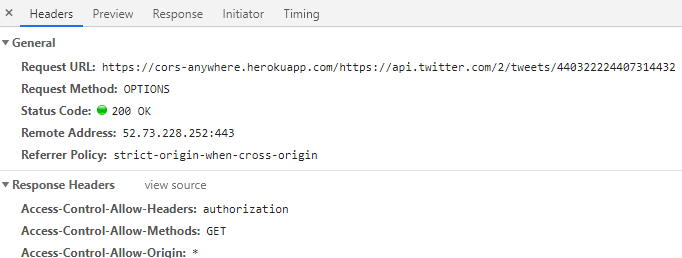
How do you solve this? One method is to proxy the request through a CORS proxy server that will relay the request through to domain b, collect the response and add the Access-Control-Allow-Origin header to it before passing it back to you, the original caller. There is an example proxy server available that would do exactly this. When you route your query through this proxy the CORS problem goes away. Note the URL being proxied through the cors-anywhere instance:

 sidespin.blog